
Amazon
Kindle Notebook
Timeline
2020–2021
In 2020, customers had started to find the annotation functionality in the Kindle app lacking when compared to alternatives. Many customers were purchasing and reading books on Kindle but annotating them using external apps.

Wanting to improve the user experience and retain both existing and lost users, I worked with my PM to develop a plan to redefine the future of Notes & Highlights within the Kindle app. To achieve this, I conducted user research to understand their note-taking habits across different devices. This research would help us decide where to start our updates.
I identified a significant problem during my research related to discoverability and navigation. Many users were unaware the Notebook/Notes & Highlights feature existed or couldn't easily locate it within the Kindle app.
During our testing, approximately one-third of participants expressed either a lack of awareness or uncertainty about how to access the Notebook feature. Many shared stories of manually flipping through books, often hundreds of pages, in search of their annotations, unaware that these annotations were listed in the Notebook section.
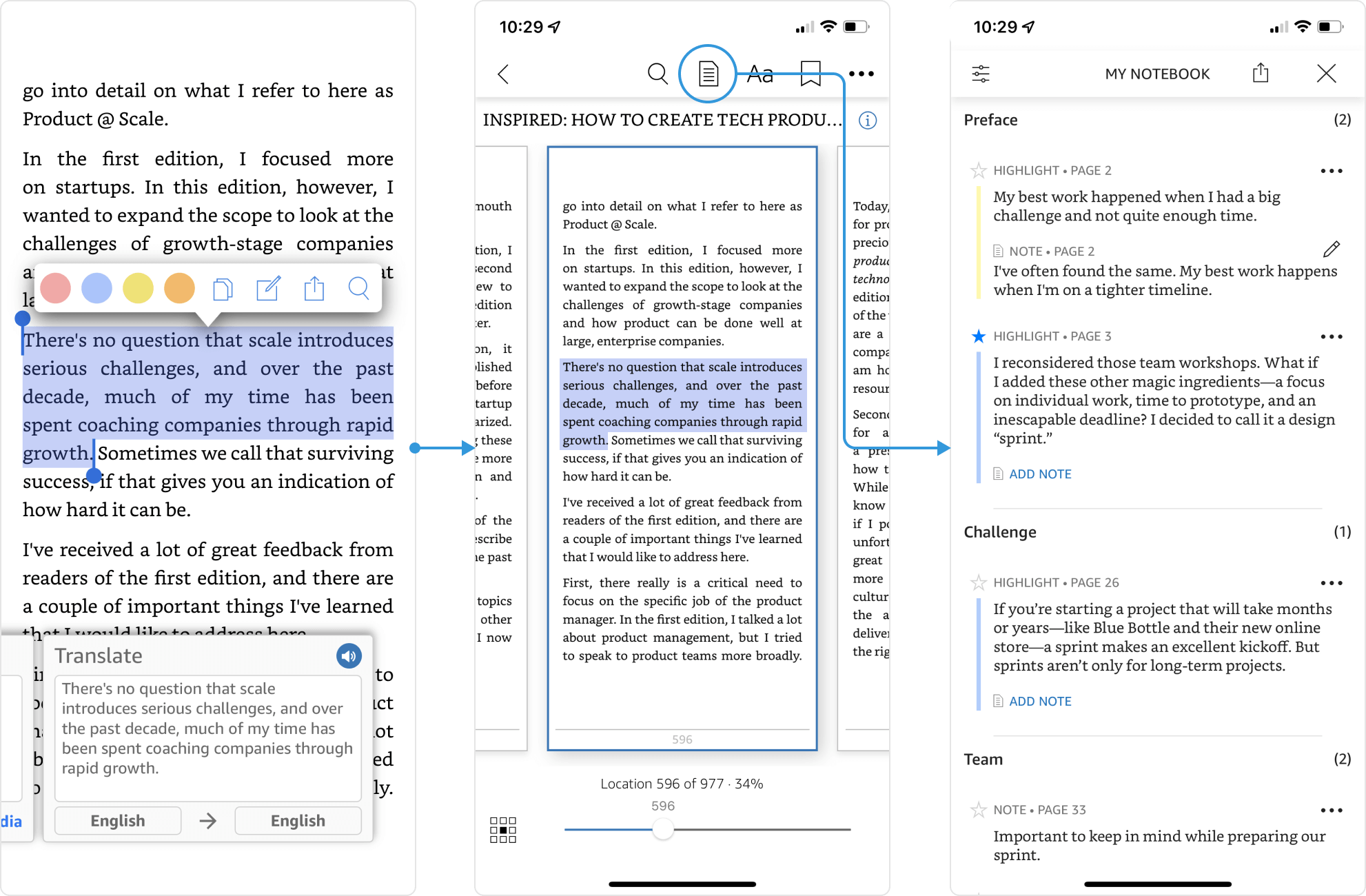
Notebook navigation on iOS (2020)
After discussing these findings with the team, we agreed that addressing these issues should be our top priority. I proposed a set of updates to enhance the Notebook experience, focusing on improving way-finding. These updates included changes like updating the icon, offering a tutorial for first-time users, and considering a new location within the app.
One immediate improvement we considered stemmed from user feedback. Users mentioned their enjoyment of revisiting their highlights after finishing a book. To facilitate this and create a new interaction point with the Notebook, we proposed placing a selection of recent highlights in the 'Before You Go' section, which appears at the end of a book.
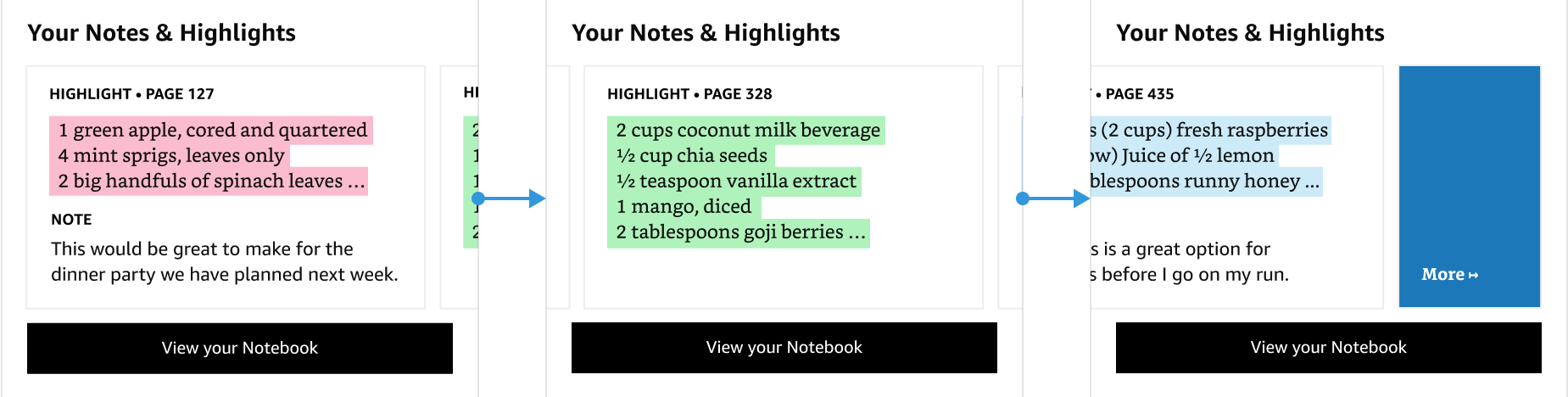
Notebook navigation on iOS (2020)
We designed the Notes & Highlights cards to scroll horizontally, displaying the five most recent items. When users reached the end of this list, a button allowed them to access the rest of their items in the Notebook. After presenting this concept to our leadership team, we swiftly developed and implemented it, rolling it out to the beta app on iOS.
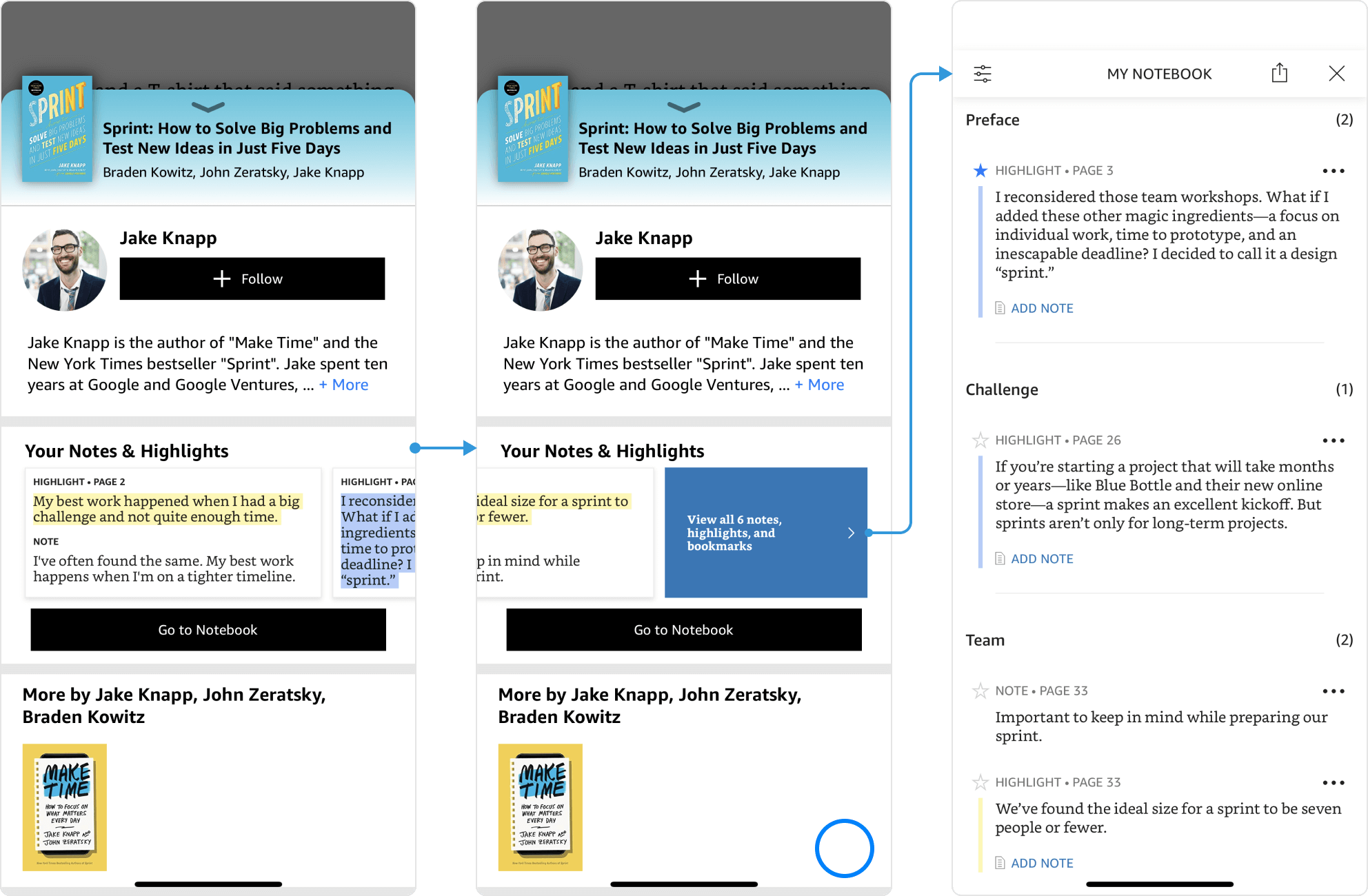
Updated "Before You Go" Flow (2022)
Results
Amazon carefully assesses updates to ensure they solve customer problems without negatively affecting sales. In this instance, our revised Before You Go / N&H experience was successful and became part of the production app in 2022.
Before my departure, we also planned additional improvements to aid users in finding their annotations, such as adding cards to the home feed and making changes to the upper navigation by including feature titles like Notebook.